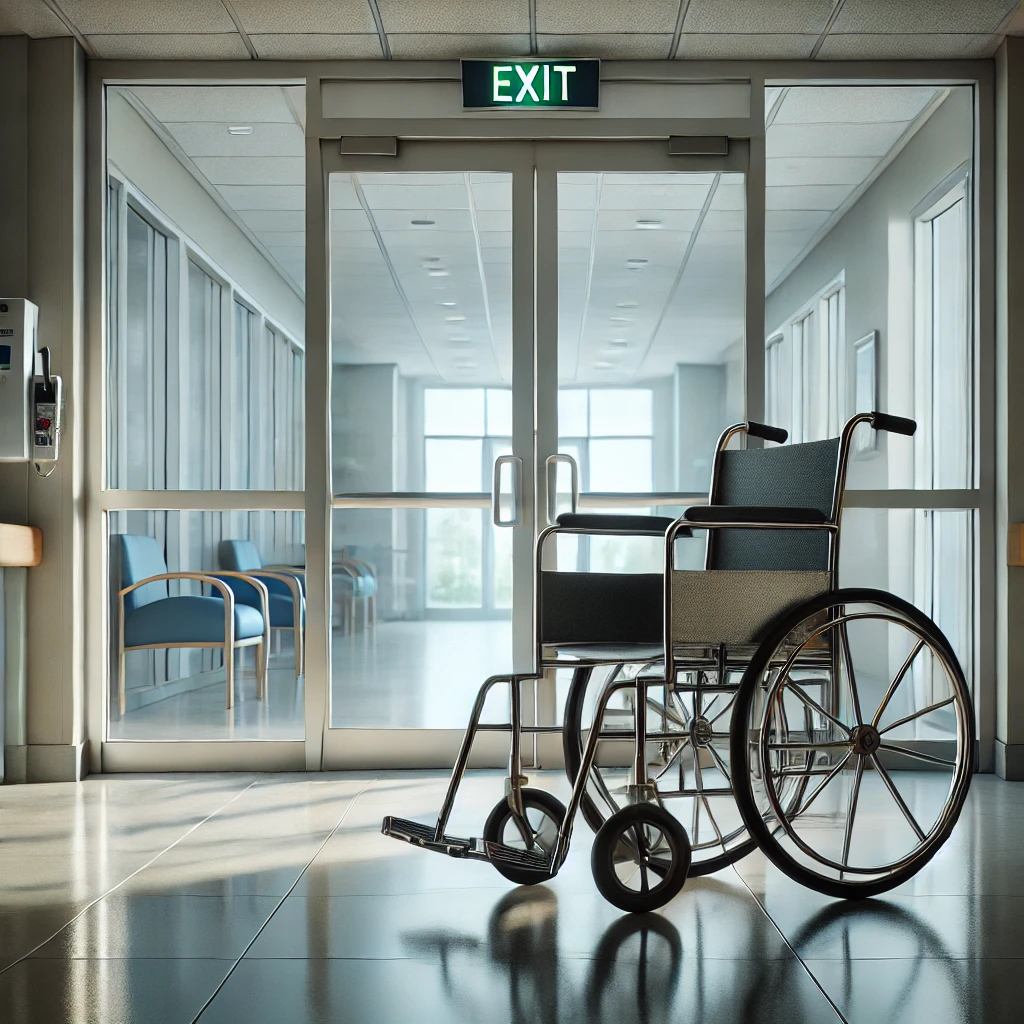
Know When a Wheelchair or Walker Is Leaving Before It Disappears
A wheelchair tracking system helps hospitals and senior care facilities protect wheelchairs, walkers, rollators, transport chairs and other mobility equipment at selected exits.
When tagged equipment approaches or passes through a monitored doorway, the system automatically activates an alert. Staff can respond immediately instead of discovering hours or days later that another wheelchair is missing.
The problem is not always theft. A wheelchair may be taken outside during discharge, placed in a vehicle, moved to another building or removed by someone who assumes it may be taken home. Whatever the reason, the facility loses valuable equipment and staff are left searching for a replacement.
Fresh USA provides a practical exit-monitoring and theft-prevention solution that works automatically without requiring staff to scan every wheelchair.
View the Wheelchair Protection System
Stop Losing Wheelchairs, Walkers and Rollators at Facility Exits
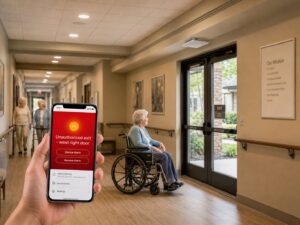
Wheelchairs and mobility aids are constantly moving between entrances, patient rooms, rehabilitation departments, waiting areas, parking areas and discharge locations.
This constant movement makes them difficult to control with manual records alone.
A facility may only realize that equipment is missing when:
- A patient needs a wheelchair and none are available
- Staff begin searching different departments
- A scheduled inventory identifies a shortage
- Replacement equipment must be purchased
- A wheelchair is found outside the building or in a parking area
A sign-out sheet may record an authorized transfer, but it cannot automatically identify a wheelchair moving through an exit.
A monitored doorway provides awareness at the moment when staff still have an opportunity to respond.
How the Wheelchair Tracking System Works
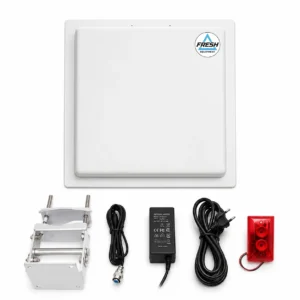
The system uses a simple automatic process:
- A passive tracking tag is attached to the wheelchair, walker, rollator or transport chair.
- An overhead reader is installed above or near the selected exit.
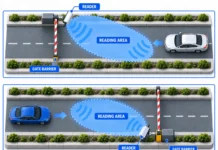
- The reader continuously monitors the configured doorway area.
- When protected mobility equipment enters the detection zone, the reader recognizes its tag.
- The system activates the configured audible and visual alert.
- Staff or security personnel can respond before the equipment leaves the facility.
No barcode scanning is required at the doorway. Staff do not need to type an asset number, enter a phone number or manually check every wheelchair.
The system watches the exit automatically.
Protect More Than Wheelchairs
The same monitored exit can protect different categories of mobility equipment.
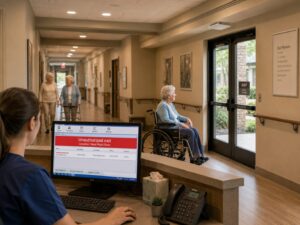
Suitable applications may include:
- Manual wheelchairs
- Transport chairs
- Bariatric wheelchairs
- Walkers
- Rollators
- Rehabilitation mobility equipment
- Shower chairs
- Commode chairs
- Other facility-owned mobility aids
Each protected item receives its own unique tag. When software is included, the tag can be associated with the equipment name, identification number or internal asset record.
This allows one doorway system to protect multiple types of wheelchairs, walkers, rollators and transport chairs without requiring a separate reader for each equipment category.
Wheelchair Theft Prevention Without Batteries on Every Chair
The equipment tags are passive. They receive energy from the reader when they enter its detection field.
This means the tags do not require:
- Individual charging
- Routine battery replacement
- Cellular service for every wheelchair
- A power cable attached to the equipment
- Daily maintenance by hospital staff
This is particularly important for facilities managing many wheelchairs and walkers. A system that depends on maintaining a battery-powered tracker on every item can create another ongoing task for employees.
Passive tags remain attached to the protected equipment and are detected automatically at the monitored exit.
Tags Designed for Metal Wheelchairs and Walkers
Wheelchairs, walkers and rollators are primarily made of metal. A standard adhesive tag placed directly on a metal frame may not perform correctly.
Fresh USA provides anti-metal tags designed for installation on metal equipment. The appropriate tag and mounting position depend on:
- The equipment frame
- Available mounting space
- Tag orientation
- Reader location
- Required detection distance
- How the equipment normally moves through the doorway
Tag placement should be tested with the actual wheelchairs, walkers and transport chairs used by the facility.
View Anti-Metal Equipment Tags
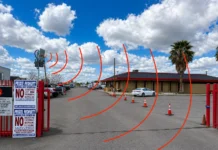
Overhead Exit Monitoring Without Large Floor Gates
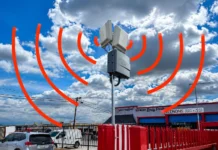
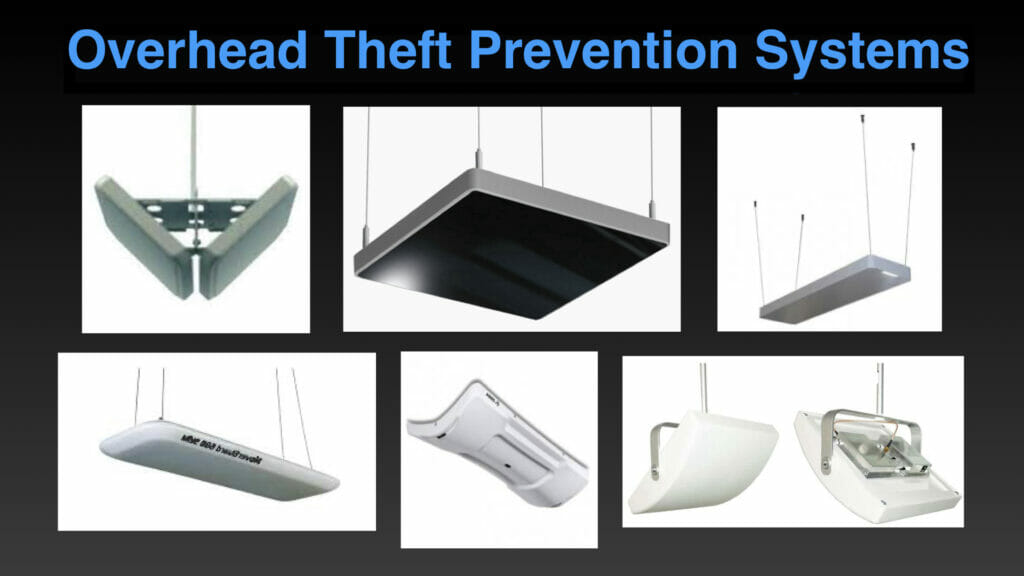
The reader can be mounted above the monitored doorway, creating a clean and unobtrusive installation.
An overhead system does not require large antenna panels standing on both sides of the entrance. This can be important in hospitals and senior care facilities where entrances must remain open and accessible for patients, visitors, wheelchairs and emergency movement.
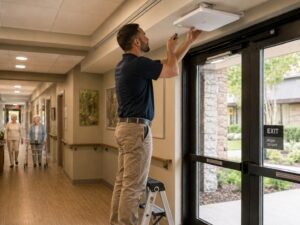
The installation position depends on:
- Doorway width
- Ceiling height
- Door construction
- Nearby metal structures
- Direction of equipment movement
- Adjacent corridors
- Distance from the reader to the equipment tag
The detection area is adjusted around the selected exit. The objective is to detect protected mobility equipment approaching or passing through the doorway while reducing unnecessary detection outside the intended zone.
Local Alarm or Mobile Notification
Different facilities require different response procedures. The system can be configured according to where staff are located and how quickly they need to receive an alert.
Local Audible and Visual Alarm
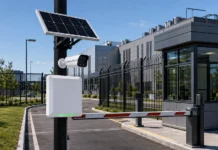
The stand-alone configuration activates an alarm at the monitored doorway when protected equipment is detected.
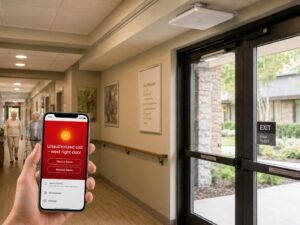
This option may be appropriate when:
- The exit is near reception staff
- Security personnel are positioned nearby
- A local alarm provides sufficient response time
- The facility does not require a computer event database
- A simple independent solution is preferred
Wireless Mobile Alerts
An optional wireless alarm notification system can send alerts through an available Wi-Fi connection or a compatible cellular SIM card.
This can help when the monitored exit is not continuously visible from a staffed desk.
Depending on the selected configuration, the wireless system can work with:
- A central alarm host
- Indoor and outdoor sirens
- Remote controls
- Wi-Fi communication
- Cellular communication
- Mobile alarm notifications
A cellular service plan may be required when mobile communication uses a SIM card.
View the Wireless Alarm Notification System
Wheelchair Tracking Software and Event Records
A stand-alone alarm may be sufficient for a small installation. Facilities requiring asset identification and event history can add compatible tracking and anti-theft software.
Software functions may include:
- Registration of wheelchair and walker tags
- Equipment names and identification numbers
- Reader event history
- Searchable detection records
- Management of multiple monitored exits
- Reports based on recorded events
When a registered tag is detected, the software can associate the event with the corresponding wheelchair, walker, rollator or transport chair.
The required software, reader licenses and network connections are selected according to the project.
Wheelchair Tracking and Theft Prevention Are Two Parts of the Same Problem
Facilities generally need to answer two different questions:
Where is the equipment?
and
Is the equipment leaving an authorized area?
This solution is designed primarily for monitoring selected exits and generating immediate alerts.
It helps track when protected equipment reaches a controlled doorway and supports wheelchair theft prevention, loss prevention and unauthorized-removal response.
It does not automatically display the live location of every wheelchair throughout an entire building.
Exit Tracking System or Real-Time Location System?
The term “wheelchair tracking system” may describe several different types of technology. It is important to select the system that matches the actual problem.
Exit Monitoring and Theft Prevention
An exit-monitoring system detects a tagged wheelchair, walker or rollator when it enters a configured doorway area.
It answers the question:
Is protected mobility equipment approaching or passing through this exit?
This is often the most direct solution when the primary concern is equipment leaving the facility without authorization.
Handheld Equipment Search
A handheld reader can help employees search for tagged mobility equipment within a room, storage area or department.
This can support periodic inventory and help locate equipment nearby, but it does not provide continuous building-wide location.
Real-Time Location Tracking
A real-time location system continuously estimates equipment location throughout the building. It normally requires additional receivers, network infrastructure, mapping software and active tracking devices.
This may be appropriate when a facility must see the approximate location of every wheelchair throughout multiple departments.
It is a different and more complex project than monitoring selected exits.
Fresh USA evaluates the actual requirement before recommending equipment. A facility that primarily needs exit protection should not be forced to purchase unnecessary building-wide infrastructure.
Wheelchair Tracking for Hospitals
Hospitals frequently position wheelchairs near exterior doors because patients need convenient access during arrival and discharge.
These locations may include:
- Main hospital entrances
- Emergency department entrances
- Patient discharge areas
- Outpatient entrances
- Parking garage connections
- Rehabilitation departments
- Medical office entrances
- Employee-only exits
Convenient access improves patient flow, but it can also make equipment easier to remove unnoticed.
A hospital wheelchair tracking system can monitor selected high-risk exits while allowing equipment to move normally throughout patient care areas.
Walker and Rollator Tracking for Senior Care
Senior living, assisted living, memory care, rehabilitation and skilled nursing facilities often manage a mixture of facility-owned and personally owned mobility equipment.
Walkers and rollators may appear similar, making ownership difficult to confirm after equipment has been moved.
A unique equipment tag can associate each facility-owned walker or rollator with an internal identification record.
When protected equipment approaches a monitored exterior exit, the system can activate an automatic alert.
The facility should establish a clear procedure for personally owned equipment so residents’ property is not incorrectly included in the protection program.
Transport Chair Tracking and Protection
Transport chairs are often used near lobbies, entrances, discharge areas and parking access points. These locations also create a higher risk of the chair being left outside, loaded into a vehicle or removed from the building.
The same tracking system used for wheelchairs can protect suitable transport chairs at the monitored exit.
There is no need to install a separate doorway system solely for transport chairs. Different categories of protected mobility equipment can use the same reader when the system and tags are configured correctly.
A Practical Solution That Can Start with One Exit
A facility does not need to monitor every doorway immediately.
The project can begin with:
- One main entrance
- One patient discharge door
- One emergency department exit
- One parking garage connection
- One senior care facility entrance
Additional readers, tags, software functions and wireless notification components can be added as operational requirements grow.
This allows the facility to address the highest-risk exit first and expand after evaluating actual performance.
No Scanning at the Doorway
The system does not depend on employees remembering to scan each wheelchair before it leaves.
There is no need to:
- Enter an equipment number
- Scan a barcode
- Search through a paper list
- Ask for a phone number
- Charge a tracker every day
- Watch the doorway continuously
When a protected tag enters the configured exit area, detection occurs automatically.
This reduces reliance on manual procedures during busy patient arrivals, discharges and visitor activity.
Planning a Wheelchair Tracking System
Every doorway and facility layout is different. Before recommending a system, Fresh USA needs to understand the exit, the equipment and the required response procedure.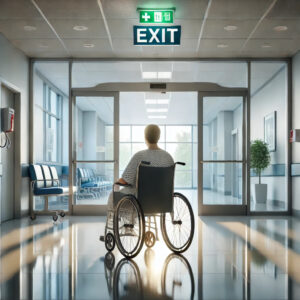
Please provide:
- Facility name
- Installation address
- Type of hospital or senior care facility
- Number of wheelchairs
- Number of walkers and rollators
- Number of transport chairs
- Number of exits to be monitored
- Doorway width
- Ceiling height
- Photographs of each proposed installation area
- A basic floor plan showing nearby corridors
- Available electrical power
- Available Ethernet or Wi-Fi connection, when required
- Whether a local alarm or mobile notification is needed
- Whether event records and software reports are required
- Whether authorized equipment regularly passes through the same exit
Based on this information, we can recommend the reader position, tag type, number of monitored exits and optional notification or software components.
Installation and Remote Technical Support
The system is supplied with technical documentation and remote configuration support.
A qualified local low-voltage, security or electrical contractor can normally complete the physical installation according to the provided requirements.
Fresh USA can provide remote assistance with:
- Reader configuration
- Detection-zone adjustment
- Tag placement recommendations
- Alarm connection guidance
- Wireless notification setup
- Software installation
- Reader connection
- Testing procedures
- System expansion planning
Final testing should be completed using the actual wheelchairs, walkers, rollators and transport chairs used by the facility.
Part of a Complete Healthcare Technology Strategy
Wheelchair and mobility equipment protection can operate as an independent solution or as part of a larger healthcare technology project.
Fresh USA also provides solutions for:
- Hospital asset tracking
- Medical equipment inventory
- Healthcare uniform management
- Automated uniform conveyor storage
- Patient and resident wander management
- Restricted-area access control
- Employee and parking access
Explore Healthcare and Senior Care Solutions
Frequently Asked Questions
How does a wheelchair tracking system work?
A passive tag is attached to the wheelchair. A reader monitors a defined area at the
selected exit. When the tagged wheelchair enters the detection zone, the system activates the configured alert.
Can the same system protect walkers and rollators?
Yes. Suitable tags can be attached to wheelchairs, walkers, rollators, transport chairs and other compatible mobility equipment. The same doorway reader can detect different protected equipment categories.
Can the system protect transport chairs?
Yes. Transport chairs can be included when a suitable tag and mounting position are
selected and tested with the doorway reader.
Do the equipment tags require batteries?
No. Passive tags receive power from the reader’s signal when they enter the detection area. They do not require individual charging or routine battery replacement.
Does the system physically stop the wheelchair?
No. The system detects the tagged equipment and activates an alert. It does not mechanically lock the wheels or physically prevent movement. Staff or security response remains part of the facility’s procedure.
Can one reader monitor every exit?
No. Each monitored doorway or approved detection area normally requires its own reader or antenna configuration. The number of systems depends on the facility layout and required coverage.
Can one reader detect different types of mobility equipment?
Yes. The reader can detect different categories of protected equipment inside its configured zone, including wheelchairs, walkers, rollators and transport chairs.
Can the system identify which wheelchair activated the alert?
Each tag has a unique identifier. When compatible software is included and the tag is registered to an equipment record, the event can identify the corresponding wheelchair or mobility aid.
Can authorized staff remove a wheelchair?
Yes, but the authorized removal procedure should be defined during project planning. This may involve temporarily managing the alarm, using an approved exit or following another facility-specific workflow.
Can an alert be sent to a mobile phone?
An optional wireless notification system is available. The required communication method, Wi-Fi availability and cellular network conditions should be confirmed before ordering.
Is this a real-time indoor location system?
The standard system is designed to detect tagged equipment at monitored exits. Continuous location throughout the building requires a separately designed real-time location system.
Can we start with one doorway?
Yes. A hospital or senior care facility can begin with one high-risk exit and add additional readers, tags, software functions or notification equipment later.
What information is required for a quotation?
Please provide the facility address, number of protected wheelchairs and mobility aids, number of exits, doorway photographs, dimensions and the required alarm, software or notification functions.
Protect Your Wheelchairs Before the Next One Goes Missing
Do not wait until staff are searching the building, another wheelchair must be replaced or essential mobility equipment is unavailable for a patient.
Fresh USA will evaluate your doorway, the number of wheelchairs and mobility aids, and the type of alerts your staff require. We will then recommend a practical wheelchair tracking and theft-prevention configuration for your facility.