Know what equipment you have, who checked it out, where it is now, and whether it is leaving without authorization. Fresh USA provides an inventory tracking system that helps businesses count equipment, manage checkouts and returns, locate missing items, monitor inventory by room or reader zone, and protect tagged assets at exits. The system combines inventory tracking software, mobile and fixed RFID readers, and a choice of tags for different types of items. Start with a handheld reader for fast inventory counts and item search, or build a complete equipment tracking system with checkout stations, room monitoring, Smart Shelf zones, and exit alerts. The system can run on a local computer or private server and can grow with additional users, computers, readers, and monitored areas.
Inventory Tracking
Inventory Tracking System for Business
An inventory tracking system should do more than show a list of items. It should help employees answer practical questions during the workday:
- What equipment is currently available?
- Which items are checked out?
- Who received each item?
- Which room or monitored zone contains the item?
- Was the item returned and placed back on the balance?
- Did a protected item leave through an exit without authorization?
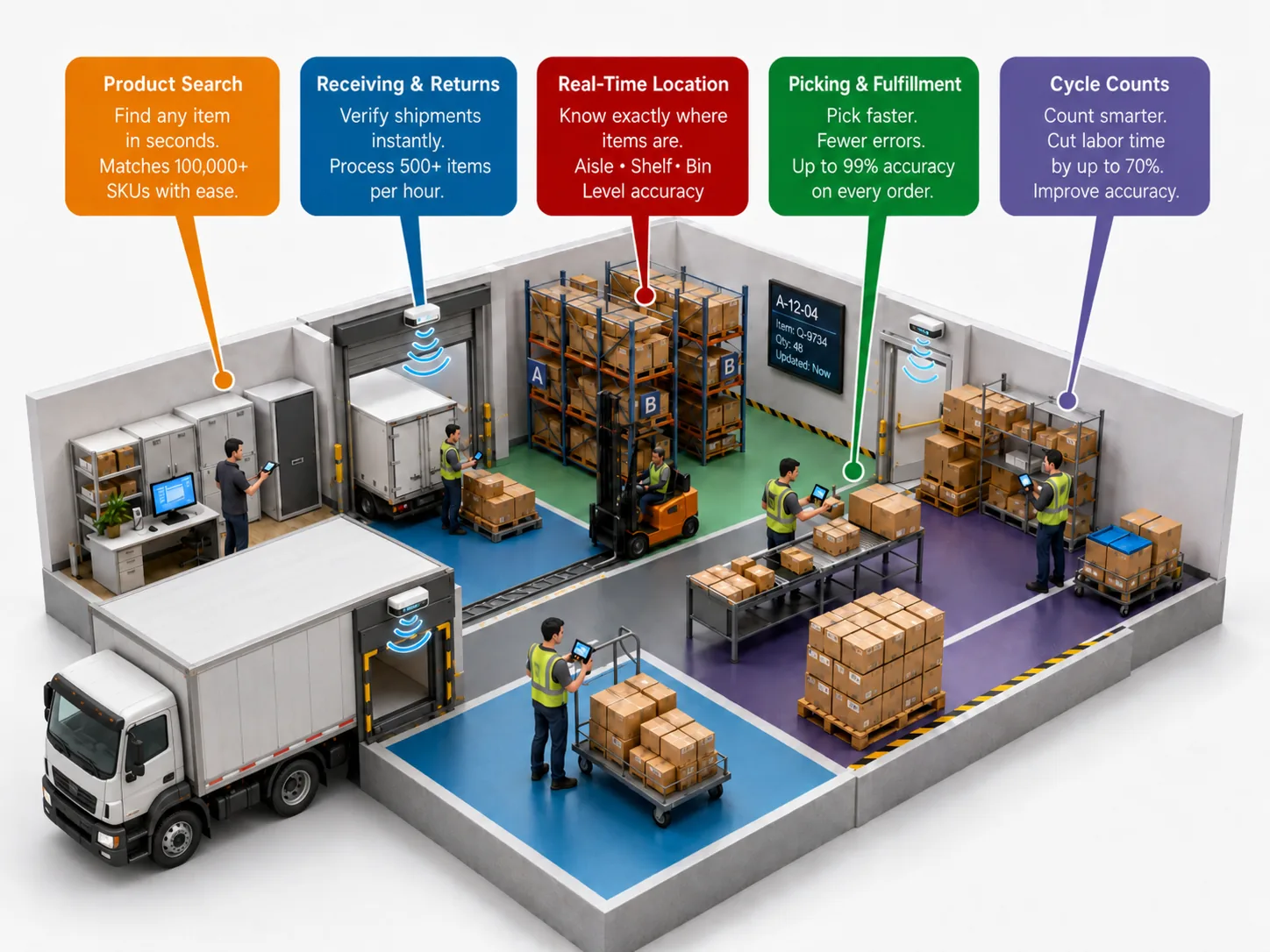
Fresh USA brings these functions together in one system. Tagged tools, devices, containers, supplies, documents, clothing, and other assets can be recorded in the database and tracked through receiving, inventory counts, checkout, return, internal transfer, and exit monitoring. The software keeps item records and transaction history in one database. Authorized users can review balances, inventory results, reader status, checkout documents, return activity, and security events from connected computers.
How the Inventory Tracking System Works
Each tracked item receives a unique RFID tag. The tag is connected in the software to the corresponding tool, asset, product, container, or piece of equipment. Readers identify the tags, and the inventory tracking software records the item status and related activity.
- Tag the item. Select the correct tag for the item material, size, environment, and required read range.
- Register the item. Assign the tag to an item record in the inventory database.
- Read the tag. Use a handheld reader, checkout station, room reader, Smart Shelf reader, or exit checkpoint.
- Update the status. Record receiving, inventory, checkout, return, transfer, or a security event.
- Review the information. See current balances, item history, reader activity, and reports in the software.
The same database can support multiple computers and multiple readers. Each reader can be named for its location or purpose, such as Main Exit, Tool Room, Checkout Desk, Storage Room, or Smart Shelf Zone.
Local Computer or Private Server
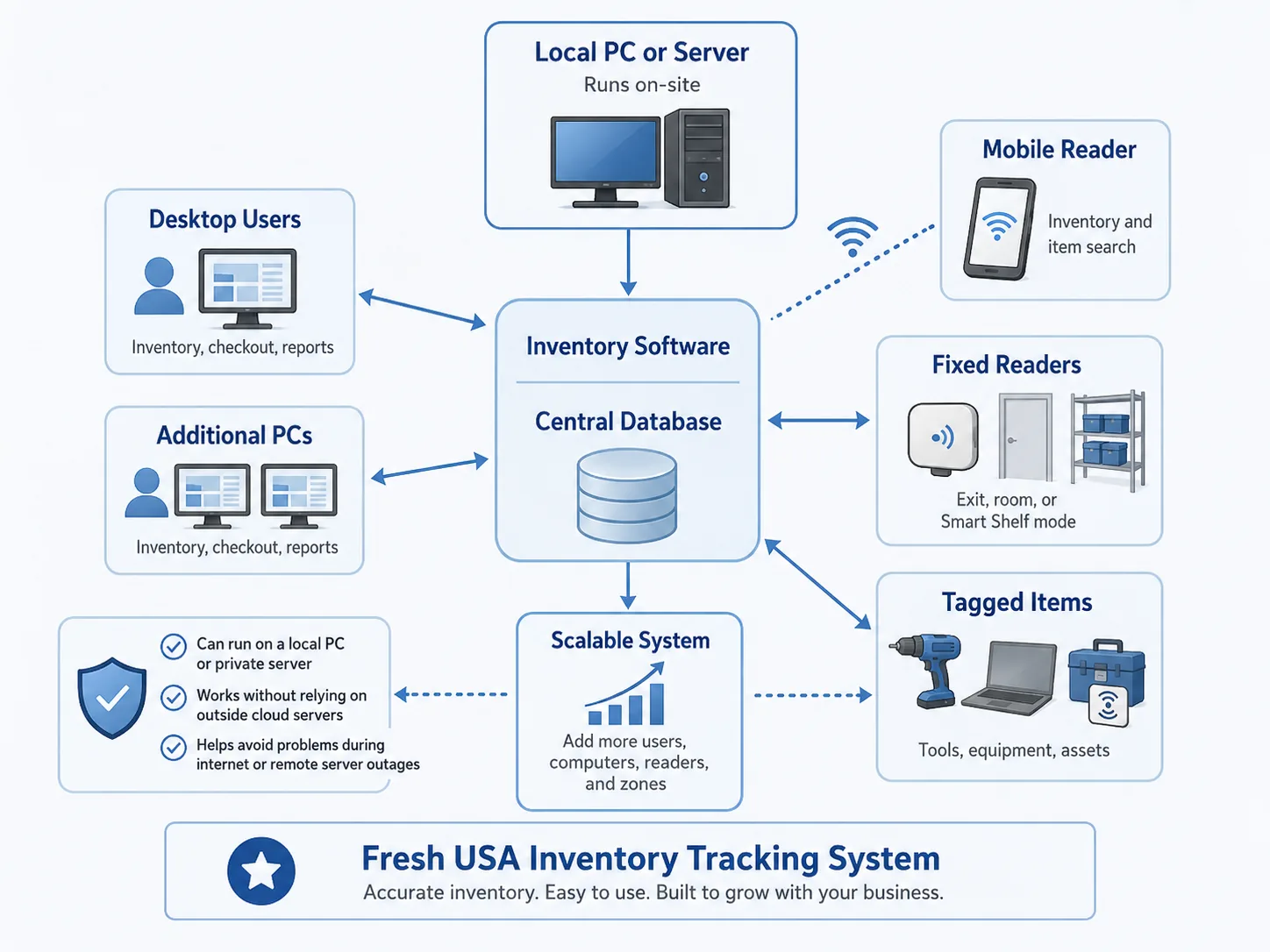
The inventory tracking system can run on a local Windows computer or connect multiple workstations to a shared database on a private server. A local installation does not need to rely on an outside cloud platform for normal on-site access. This can reduce disruption caused by internet or third-party server outages, provided the local computer network and equipment remain operational. As the operation grows, additional computers, users, readers, and inventory zones can be added to the same system. User accounts and access rights help control who can view records or perform specific operations.
Real-Time Inventory Location by Room or Reader Zone
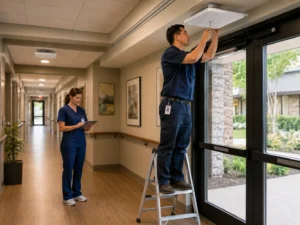
Fixed RFID readers are not limited to entrance and exit monitoring. A reader can also monitor a room, storage area, cabinet, shelf, or other configured zone. Ceiling-mounted or wall-mounted antennas can continuously identify the tags that are currently inside the reader field. In Smart Shelf mode, the software shows the tagged items detected in the monitored area. If an expected item is no longer communicating with that reader, staff can see that it has left the zone or requires attention. With separate readers assigned to different rooms or areas, the system provides real-time zone location. Employees can see which monitored room or reader zone currently contains an item. This is different from GPS coordinates: the fixed readers identify presence within configured indoor zones. Each fixed reader can be switched in the software to a different operating mode as the workflow changes. The same reader model may be used for an exit checkpoint, a room-monitoring zone, a Smart Shelf application, automatic tag registration, checkout authorization, or return processing.
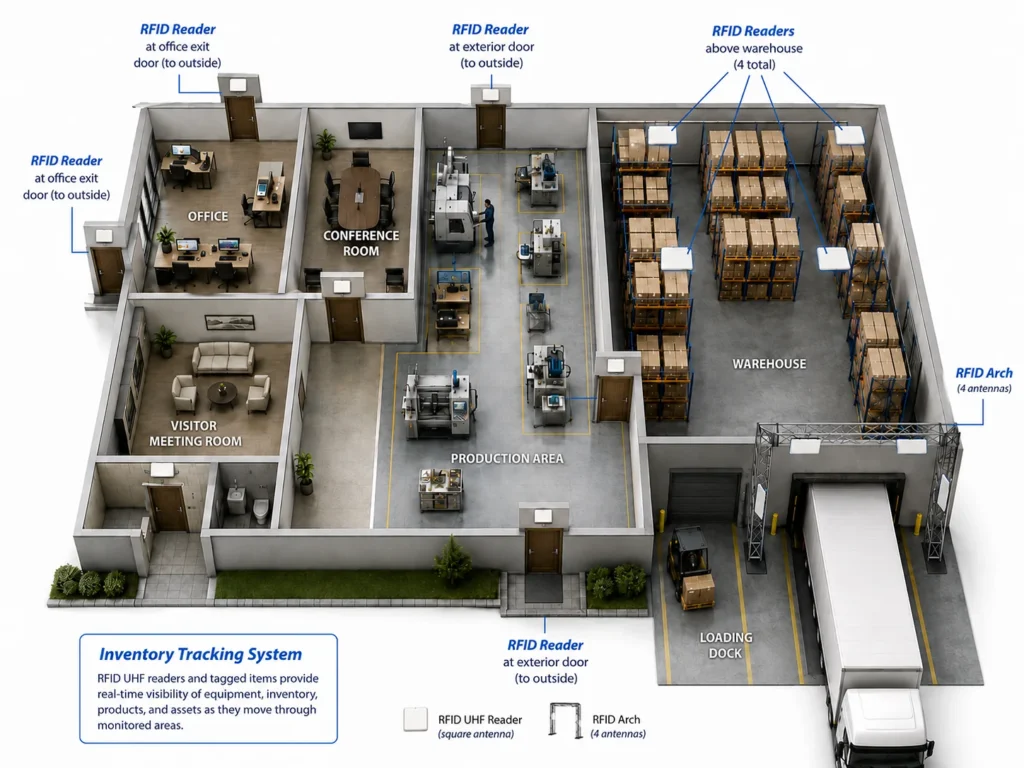
The same system can support equipment tracking, product tracking, inventory tracking, and asset tracking across offices, production areas, warehouses, and loading docks.
Find a Specific Item with the F-880 Handheld Reader
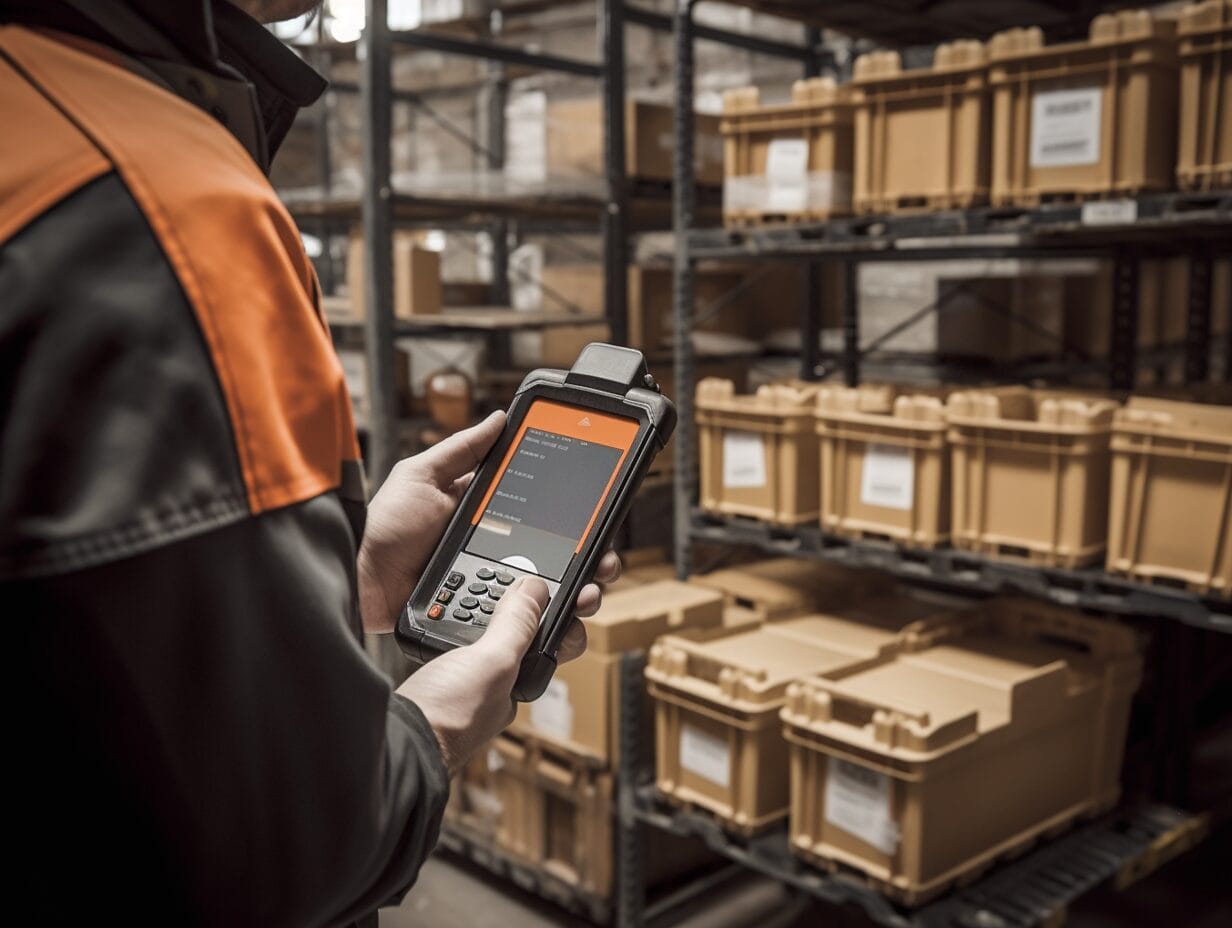
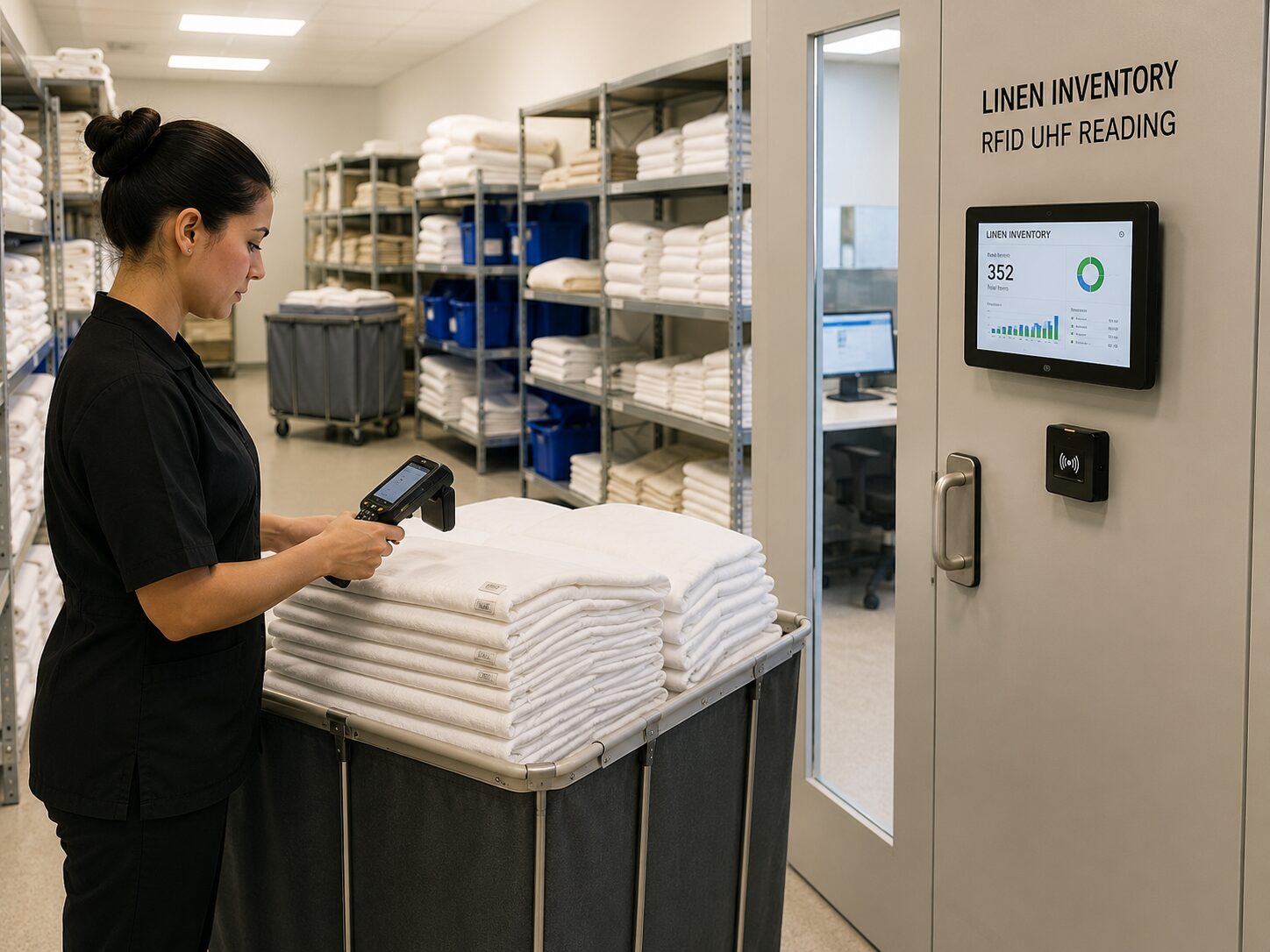
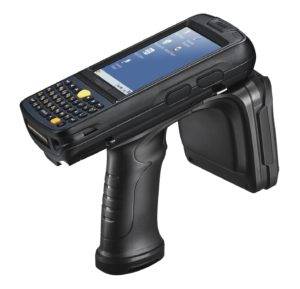
The F-880 handheld reader supports fast mobile inventory and guided item search. Employees can walk through a room, warehouse, stock area, office, retail space, or equipment storage area and read many tagged items without scanning them one at a time. To find one specific item, select its assigned tag in the mobile inventory application. The handheld reader produces an audible proximity signal. The signal changes as the operator turns left or right and moves closer to or farther from the tagged item. The reading range can also be adjusted to narrow the search area. This helps an employee move from a general room or reader zone to the exact tagged item. For example, the fixed system may show that a device is in the Tool Room, and the F-880 can then help locate the device on a specific shelf, cart, or workbench. The F-880 is available with a ready mobile inventory application for inventory counts, item verification, and item search.
Equipment Check-In and Check-Out Software
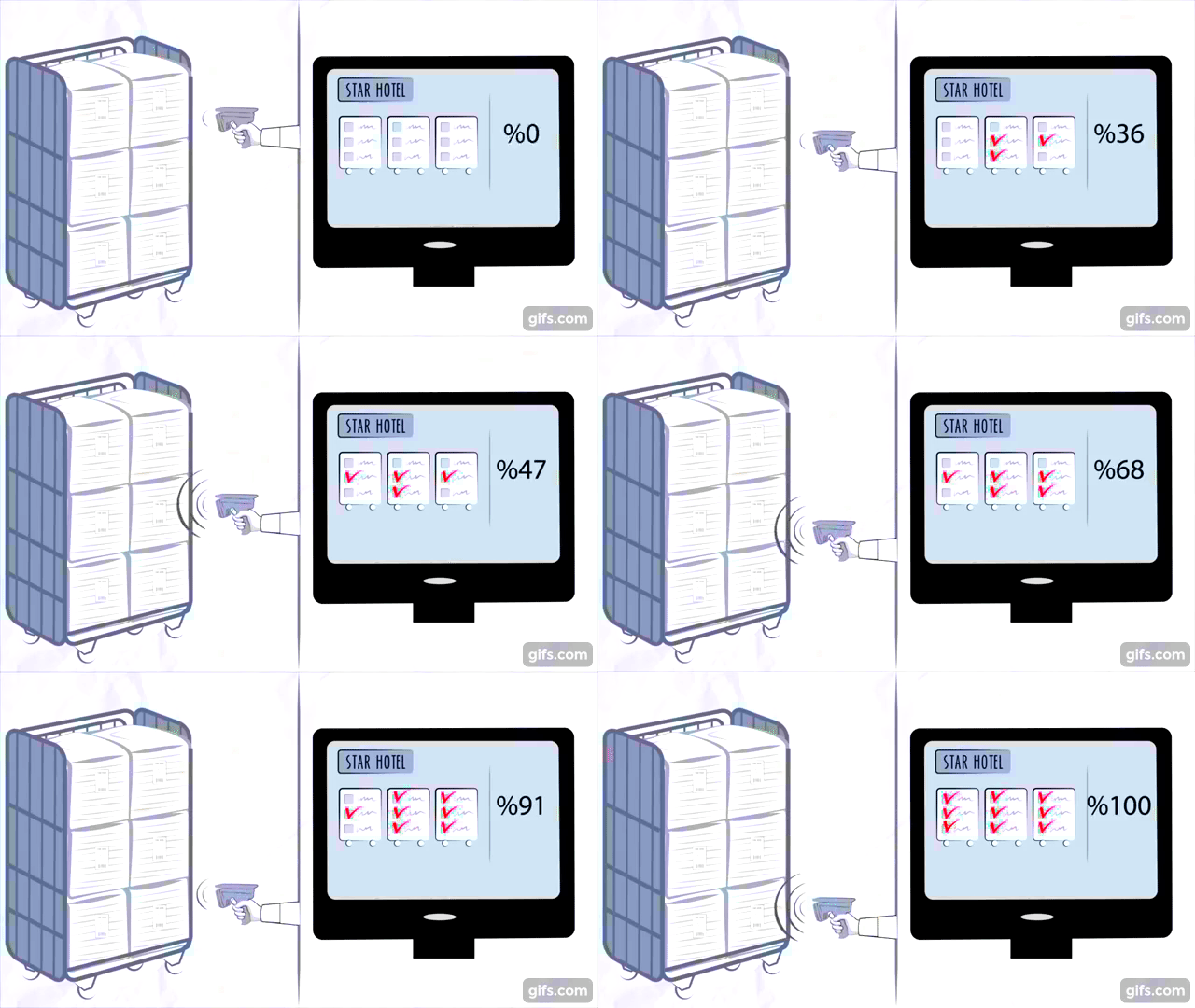
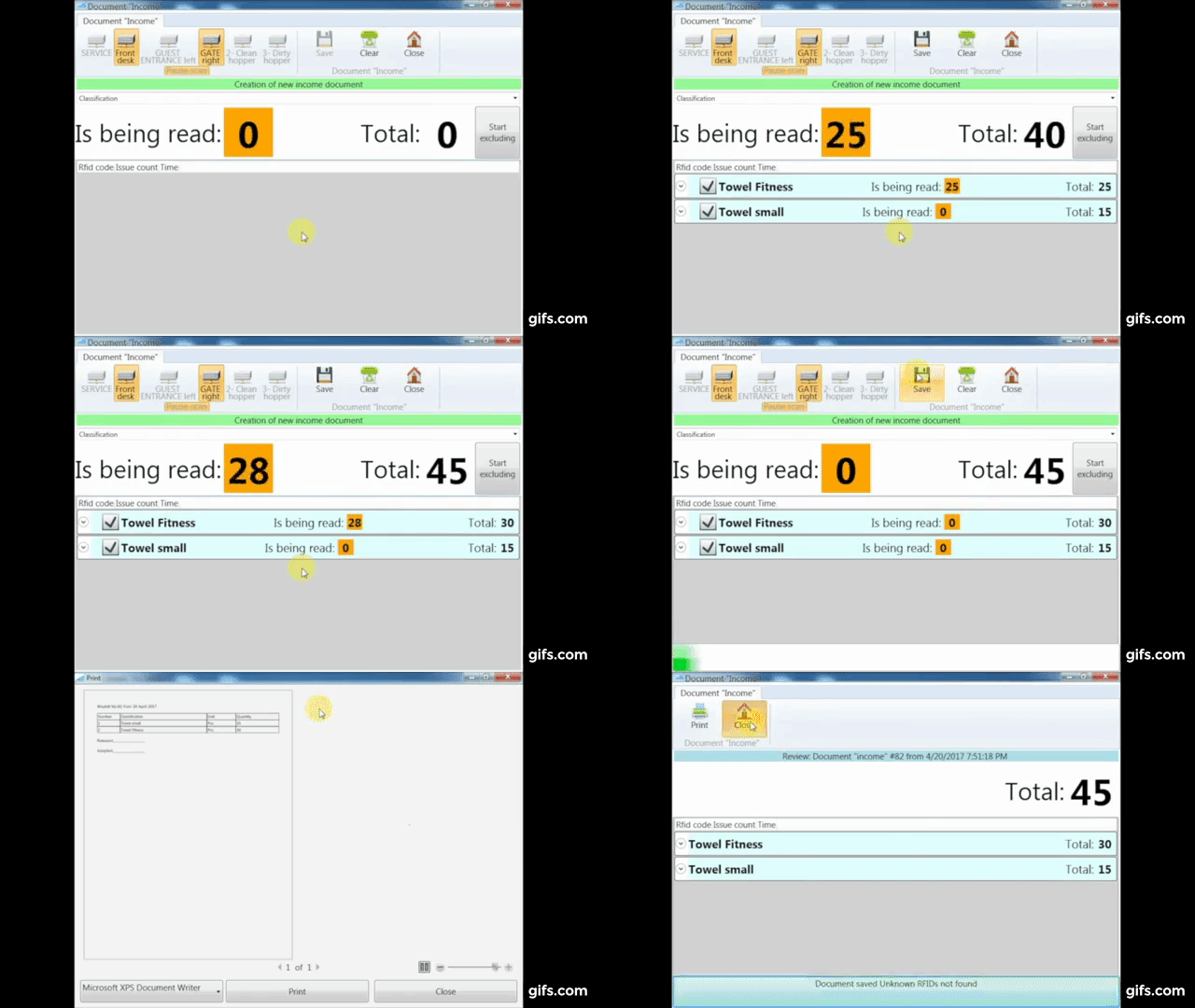
Businesses looking for equipment check in check out software can use the system to record the movement of individual tagged items. A checkout or outcome document identifies the exact item being issued, and a return or income document places the item back on the balance.
Authorized Checkout
When an employee, customer, contractor, department, or other authorized person receives equipment, the exact RFID tag is scanned into the checkout transaction. The software records the movement and can temporarily remove that item from active exit protection.
Return and Re-Arm
When the item is returned, its tag is scanned back into inventory. The balance is updated, and the item can automatically return to active security monitoring. This creates one connected workflow instead of maintaining separate inventory, checkout, and theft-prevention records.
Inventory and Transaction Records
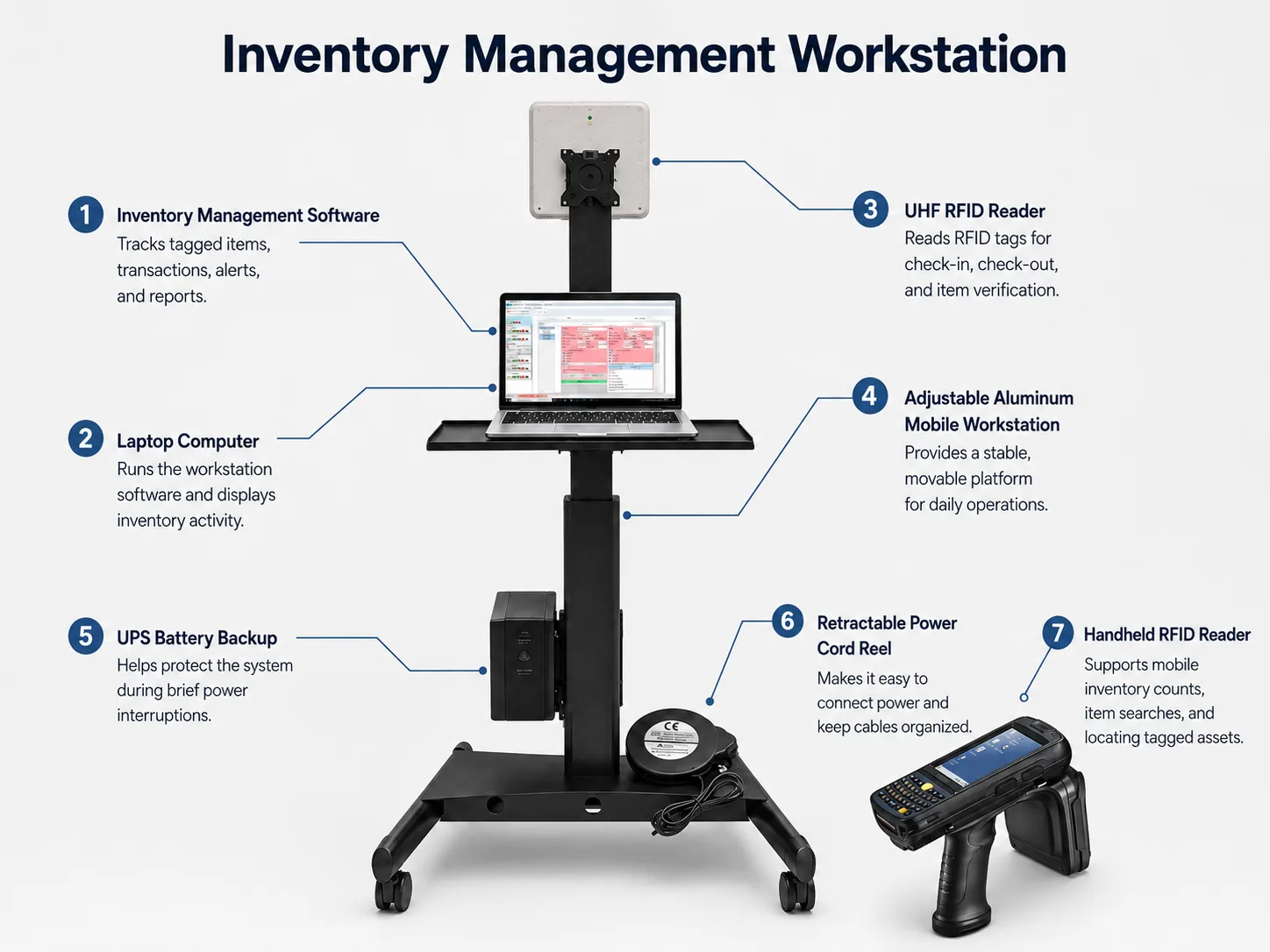
The equipment inventory software can support:
- receiving items and placing them on the balance;
- issuing equipment to another person or department;
- internal transfers between locations;
- returning checked-out items;
- planned-versus-actual inventory results;
- balance reports for a selected date;
- tag binding, rebinding, and unbinding;
- item and tag movement history;
- user accounts and access rights;
- event and alert records.
Authorized Removal and Unauthorized Exit Alerts
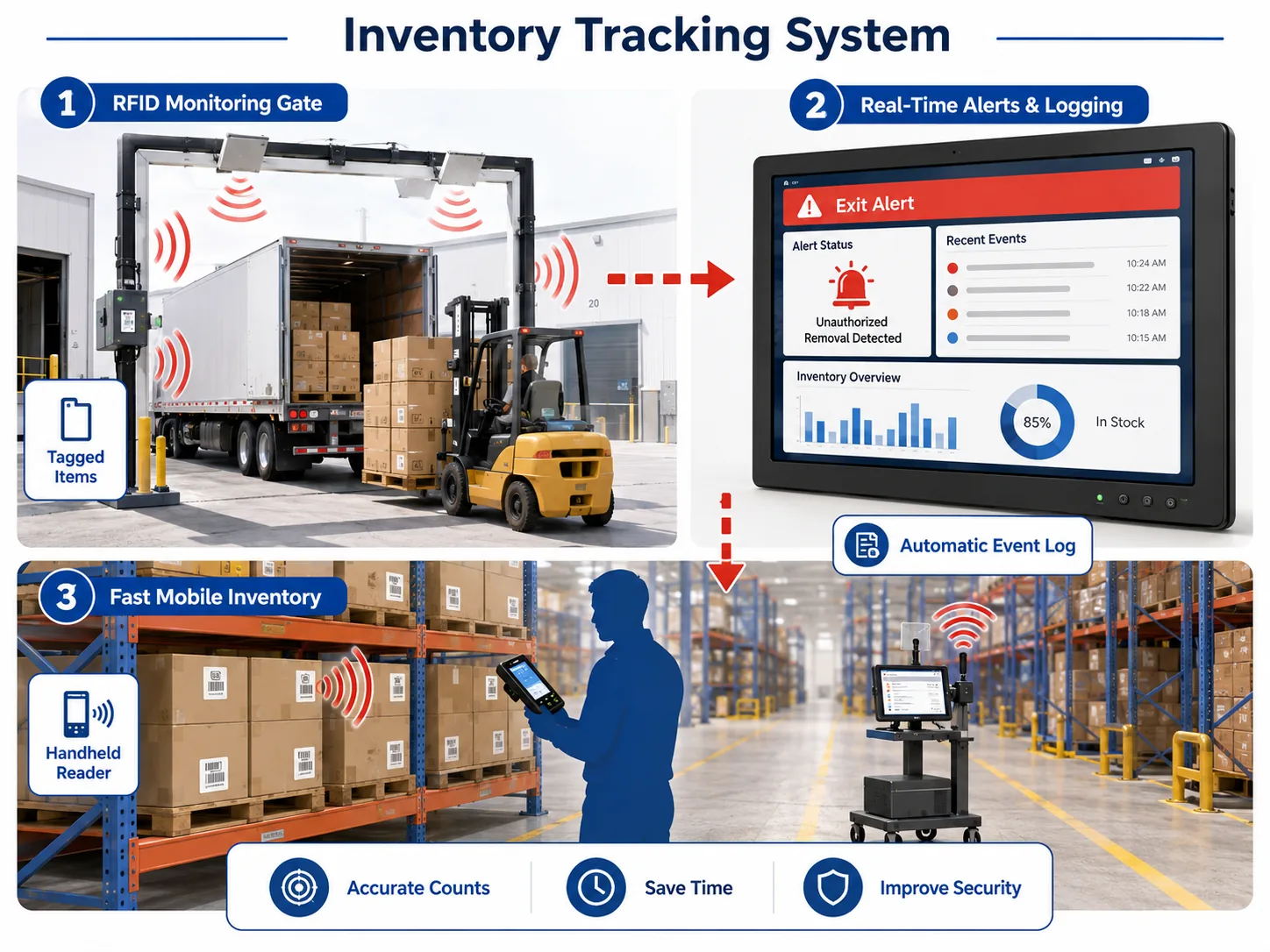
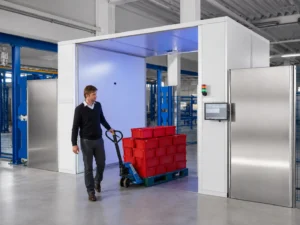
Inventory control and exit protection work together. A protected tagged item that passes a monitored exit without an approved checkout can trigger an alert and create an event in the software. An item that has been properly checked out can be temporarily authorized for removal. It remains in the database and transaction history, but it can pass the exit reader without creating an unauthorized-removal alarm. When the item is returned, it can be scanned back into inventory and re-armed for exit protection. Depending on the selected system configuration, alerts can be displayed in the software and may also be sent through optional communication equipment by SMS, phone call, or mobile application notification. Reader locations can be named in the software so the event record identifies the monitored checkpoint, such as Main Exit, West Door, Shipping Door, or Equipment Room.
Inventory Tracking System for Small Business
A small business does not need to install every component at once. The inventory tracking system can begin with a computer, inventory tracking software, RFID tags, and an F-880 handheld reader. This configuration supports fast counts, item verification, and guided item search. Fixed readers can be added later for:
- equipment checkout and return;
- automatic tag binding or unbinding;
- room or storage-zone monitoring;
- Smart Shelf inventory visibility;
- entrance and exit protection;
- additional departments or business locations.
This makes the system suitable as inventory tracking software for small business while also allowing expansion into a larger equipment inventory tracking system. Businesses can add readers and users as needs and budgets change instead of replacing the original system. The software is available without a required monthly software subscription. A local installation can also help a business keep control of its database and continue normal on-site work without depending on an outside cloud service.
Common Applications
- tools and maintenance equipment;
- IT devices, laptops, tablets, and electronics;
- medical and mobility equipment;
- retail and warehouse inventory;
- uniforms, garments, towels, and linens;
- documents, files, and reusable containers;
- rental equipment and checked-out assets;
- production parts and work-in-process items;
- office, school, studio, and event equipment.
System Options, Reader Modes, and RFID Tags
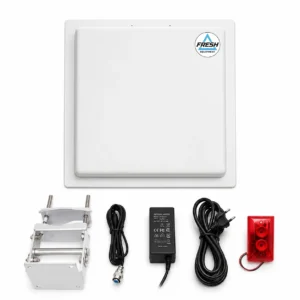
The system can be configured for one task or combine several workflows. Each connected reader can be assigned a name, connection type, read power, and operating mode in the software.
Reader Operating Modes
- Exit Monitoring: Detect protected tags at an entrance or exit checkpoint.
- Smart Shelf: Show which tagged items are currently present in a monitored shelf, room, or zone.
- Automatic Binding: Assign new tags to items through a designated reader station.
- Automatic Unbinding: Remove a tag assignment when an item is removed from the system or sold.
- Authorized Removal: Temporarily remove a checked-out item from active security monitoring without deleting it from the database.
- Return and Re-Arm: Restore a returned item to active exit protection.
Different RFID Tags for Different Items
Different items may require different RFID tags. The tag should be selected based on the item size, material, operating environment, required read range, and whether the tag should be visible or concealed.
- Disposable adhesive labels for boxes, packages, documents, supplies, and lower-cost inventory.
- Reusable durable tags for tools, equipment, electronics, containers, and other items that remain in service.
- On-metal tags for metal tools, machinery, carts, devices, and equipment housings.
- Washable textile tags for uniforms, towels, linens, and fabric items.
- Concealed or embedded tags that can be installed inside an item or hidden within its housing when the item design and material allow it.
There is no universal tag for every application. Metal, liquids, item construction, tag orientation, and installation position can affect reading performance. Tag type and placement should be selected and tested for the actual item and working environment. Learn more in our guide to choosing RFID UHF tags.
Technical Resources
- Inventory and Anti-Theft Software User Manual
- Quick Warehouse Inventory Guide
- RFID Tag Catalog
- Industrial and On-Metal Tag Catalog
Frequently Asked Questions
What is an inventory tracking system?
An inventory tracking system records tagged items and helps a business count inventory, manage checkouts and returns, review balances, locate items by reader zone, search for a specific item, and monitor protected equipment at exits.
Can the system track equipment instead of products for sale?
Yes. The equipment tracking system can be used for tools, devices, reusable containers, electronics, uniforms, documents, rental equipment, and other business assets. It is not limited to retail stock or products for sale.
Does the system show an item’s exact location?
Fixed readers can show the monitored room, shelf, or reader zone where a tag is currently detected. To find the exact item within that area, use the F-880 handheld reader and follow its audible proximity signal. The system provides indoor zone visibility and guided item finding, not GPS coordinates.
Can one reader be used for different functions?
Yes. A connected reader can be assigned different operating modes in the software. Depending on the workflow, it may be used for exit monitoring, Smart Shelf visibility, automatic tag binding, checkout authorization, or return and re-arm operations.
What happens when equipment is checked out?
The exact tagged item is recorded in the checkout transaction and can be temporarily authorized for removal. It remains in the database but can pass the monitored exit without an unauthorized-removal alarm.
What happens when the equipment is returned?
The returned tag is scanned back into inventory. The balance is updated, and the item can automatically be placed back under active exit protection.
Can different RFID tags be used for different items?
Yes. Disposable labels, reusable durable tags, on-metal tags, washable tags, and concealed or embedded tags can be selected for different applications. The correct tag depends on the item material, size, environment, read range, and installation method.
Can the inventory tracking system run without the cloud?
Yes. The software can run on a local computer or use a shared database on a private server. A local configuration can reduce dependence on outside cloud platforms and internet availability for normal on-site work.
Can the system grow after installation?
Yes. Additional computers, users, mobile readers, fixed readers, checkout stations, exits, rooms, and Smart Shelf zones can be added as the business grows. Tell us what you need to track, how many items you have, and which locations or exits should be monitored. Fresh USA can help select the readers, tags, software configuration, and operating modes for your workflow.